2026 Monitor Arm Trends: What Modern Offices Need Next


Table of Contents
● Trend 2: Hybrid Work Is Driving Flexible Desk Solutions
● Trend 3: Dual, Ultrawide and Multi-Monitor Setups Are Becoming Standard
● Trend 4: Clean Desk and Minimalist Workspaces Continue to Grow
● Trend 5: Standing Desks and Monitor Arms Are Becoming a Combined Solution
● What Defines a Future-Ready Monitor Arm in 2026
● Conclusion: Monitor Arms Are Now Part of the Modern Office
Modern offices are evolving around hybrid work, compact spaces, shared desks and longer screen time. In this environment, monitor arms are becoming an essential part of the workstation—not just for holding displays, but for improving ergonomics, freeing up desk space and adapting to different screens, tasks and users. As workspaces become more flexible, monitor arms are evolving from a basic mounting solution into a practical tool for creating more comfortable, organized and adaptable workstations.
Trend 1: Ergonomics Is Becoming a Basic Requirement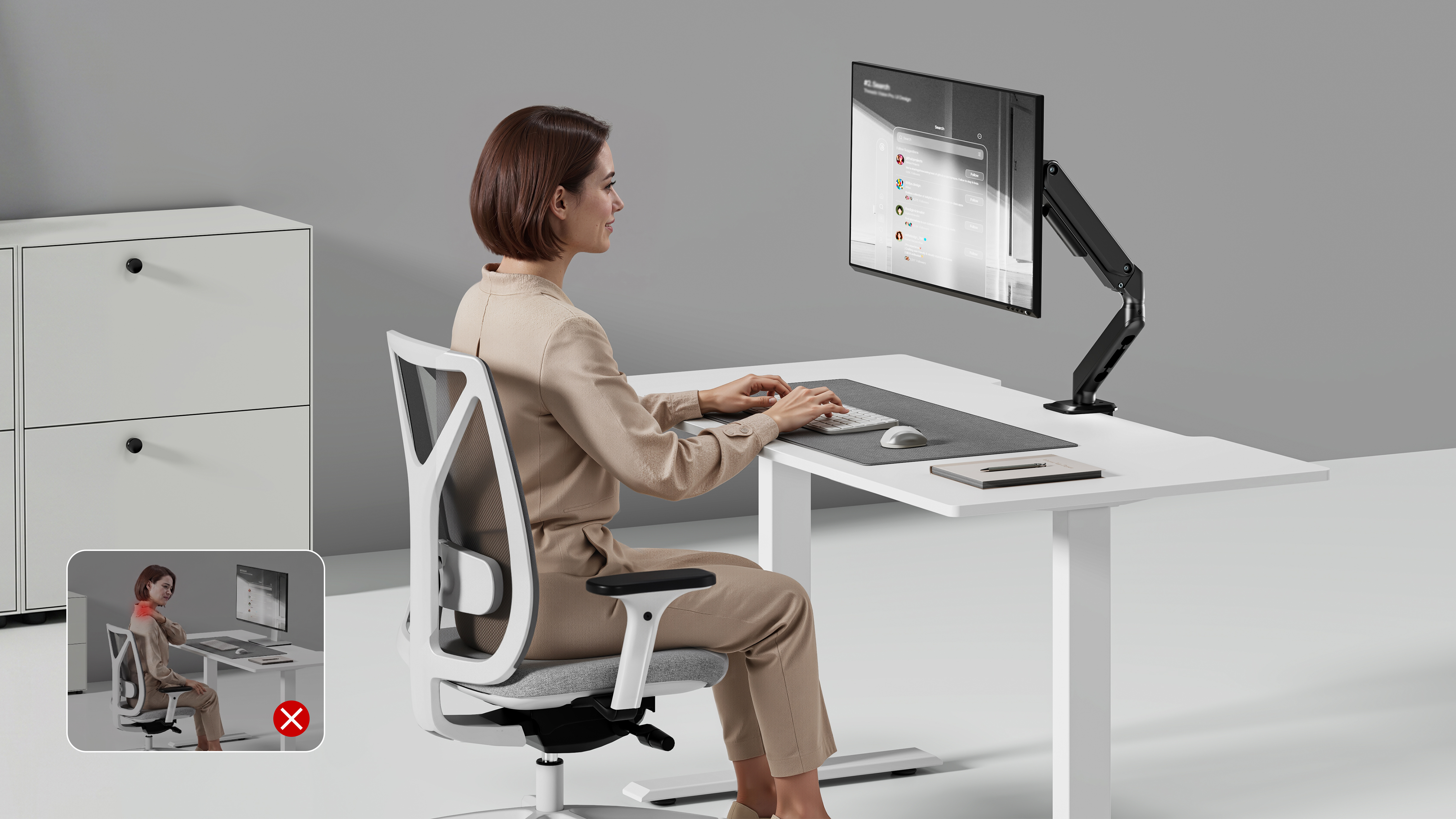
A fixed monitor stand gives users only limited control over where the screen sits. If the display is too low, too far away or positioned at an unsuitable angle, users may compensate by leaning forward, looking downward or repeatedly adjusting their own seating position. Over long periods, these small compromises can make a workstation feel less comfortable and less efficient.
A monitor arm addresses this problem by making the screen position adaptable. Instead of asking the user to adjust their posture to a fixed display, the monitor can be positioned around the user's viewing needs and the task at hand. The screen can be raised or lowered, moved closer or farther away, and angled to create a more natural viewing position. This is especially useful when the same workstation is used by people with different heights, seating preferences or work habits.
Trend 2: Hybrid Work Is Driving Flexible Desk Solutions
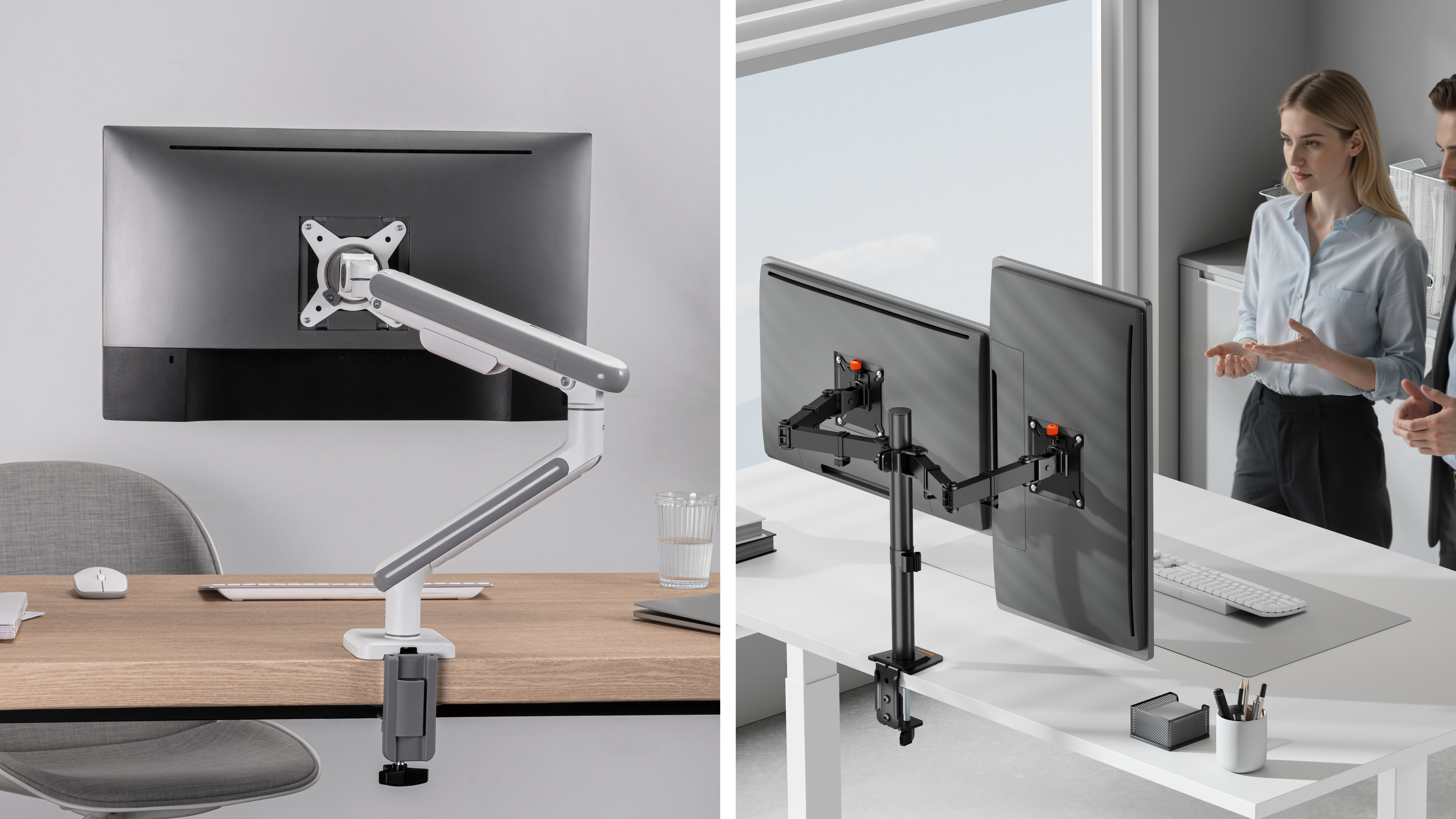
Hybrid work has changed the relationship between people and their desks. Employees may move between a corporate office, a home office and shared workspaces, while a single workstation may also be used by several people over time. As a result, flexibility is becoming just as important as stability.
A monitor arm can support this change by making the workstation easier to reconfigure. Instead of treating the monitor position as a permanent installation, users can adapt the display to different seating positions, screen sizes and working preferences. This is particularly valuable in shared offices and hot-desking environments, where the same desk may need to work for different users throughout the day.
For hybrid workspaces, the most useful features often include:
• Easy height and angle adjustment
• Secure clamp or grommet installation
• Clear tension adjustment
• Compatibility with common VESA patterns
• Cable routing that allows the arm to move freely
• Stable positioning for shared desks
For home offices, compact size and installation flexibility are often the priority. A single monitor arm can clear room for a laptop, notebook, keyboard and other everyday essentials without requiring a larger desk.
Trend 3: Dual, Ultrawide and Multi-Monitor Setups Are Becoming Standard
More professional workflows now rely on additional screen space. Finance teams, software developers, customer support staff, designers, editors and data analysts can all benefit from viewing multiple sources of information at the same time. As larger and more specialized displays become common, monitor mounting solutions need to accommodate a wider range of configurations.
The right solution depends on the workflow, display size, monitor weight and amount of adjustment required. A single-monitor setup may prioritize simplicity and a compact footprint, while a dual-monitor or multi-monitor workstation places greater emphasis on load capacity, positioning and independent adjustment. Ultrawide displays can also require a mount with sufficient strength and reach to maintain a stable viewing position.
|
|
|
|
|
|
|
|
|
|
|
|
|
|
|
In short, the growing use of dual, ultrawide and multi-monitor setups is increasing demand for monitor mounts that are stronger, more adaptable and easier to configure.
More screens can improve productivity, but they can also make a desk feel crowded. Once a workstation includes two monitors, a laptop, a dock and several cables, desktop space becomes a real consideration.
This is where the clean desk trend connects directly with monitor arm design.
The original monitor base is often one of the largest fixed objects on a desk. Replacing it with a monitor arm creates usable space beneath and around the display, making the whole workstation easier to organize.
A well-designed monitor mount can:
• Create more usable desktop space
• Reduce visible cable clutter
• Keep cables closer to the monitor arm
• Make the desk easier to clean
• Support a more organized office appearance
Cable management matters even more in dual-monitor and hybrid workspaces. Power cables, HDMI or DisplayPort cables, USB connections and docking accessories can quickly make a setup look disorganized if they are not planned properly.
Minimalist design is also becoming more practical, not just more fashionable. Compact structures, neutral finishes and a small desktop footprint allow monitor arms to fit naturally into corporate offices, home offices and premium workstation environments.
Trend 5: Standing Desks and Monitor Arms Are Becoming a Combined Solution
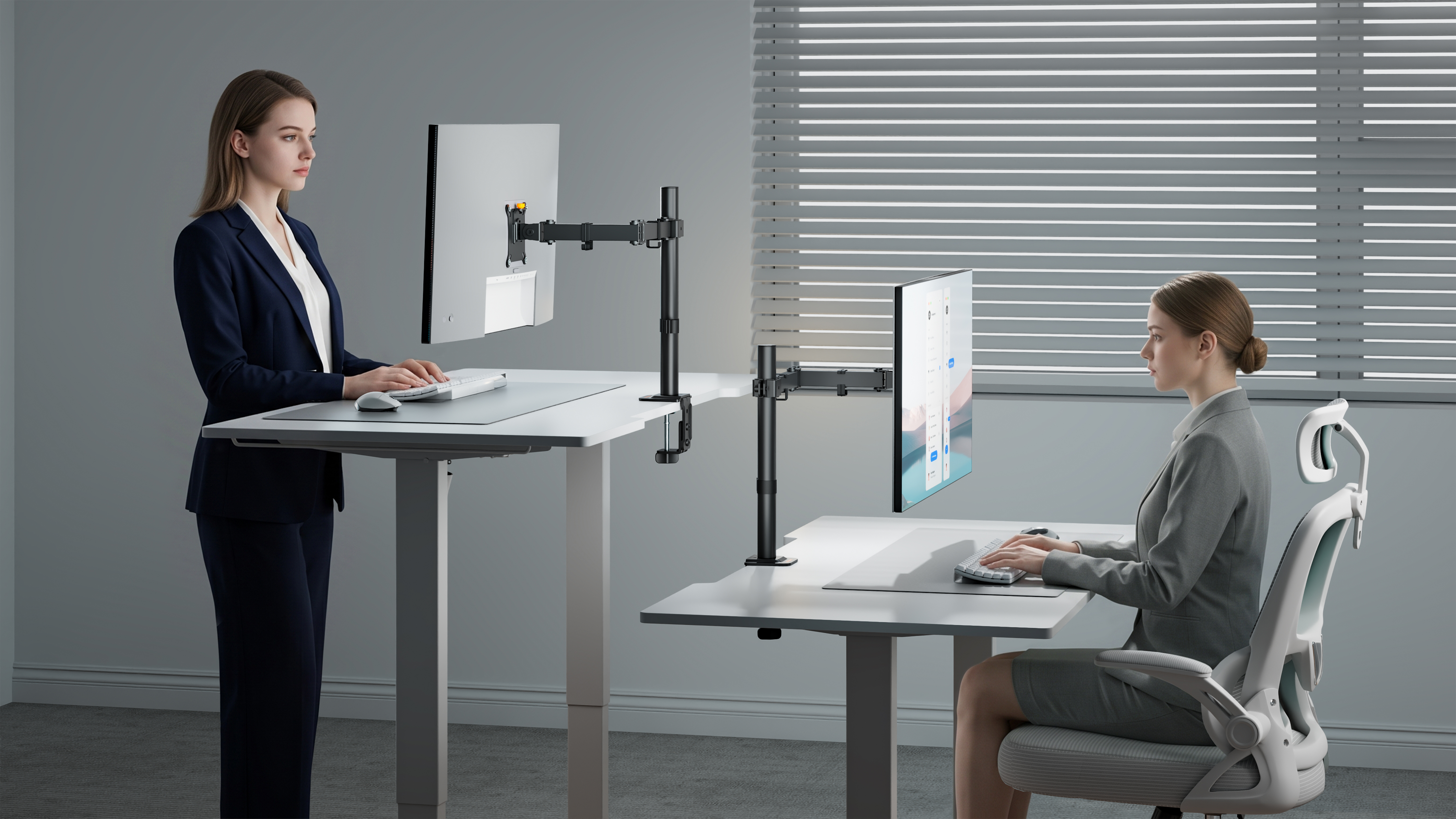
More people are choosing standing desks as part of their workspace upgrade. But when a desk rises from sitting height to standing height, the monitor also needs to remain comfortable to view. This is why standing desks and monitor arms are increasingly selected as one integrated workspace solution.
A fixed monitor stand may move with the desk but still leave users looking down or reaching forward at their new working height. An adjustable arm makes it easier to fine-tune the screen's height, distance and angle as working positions change.
For sit-stand workstations, gas spring or mechanical spring monitor arms can provide the controlled movement needed to reposition a display smoothly and keep it stable once adjusted. The right choice depends on the monitor weight, adjustment frequency and the movement experience expected by the target user.
This combination also reinforces a broader trend: modern workstation products are increasingly expected to work together. A desk, monitor arm, monitor, docking station and cable management system should function as one coordinated setup rather than as unrelated accessories.
What Defines a Future-Ready Monitor Arm in 2026
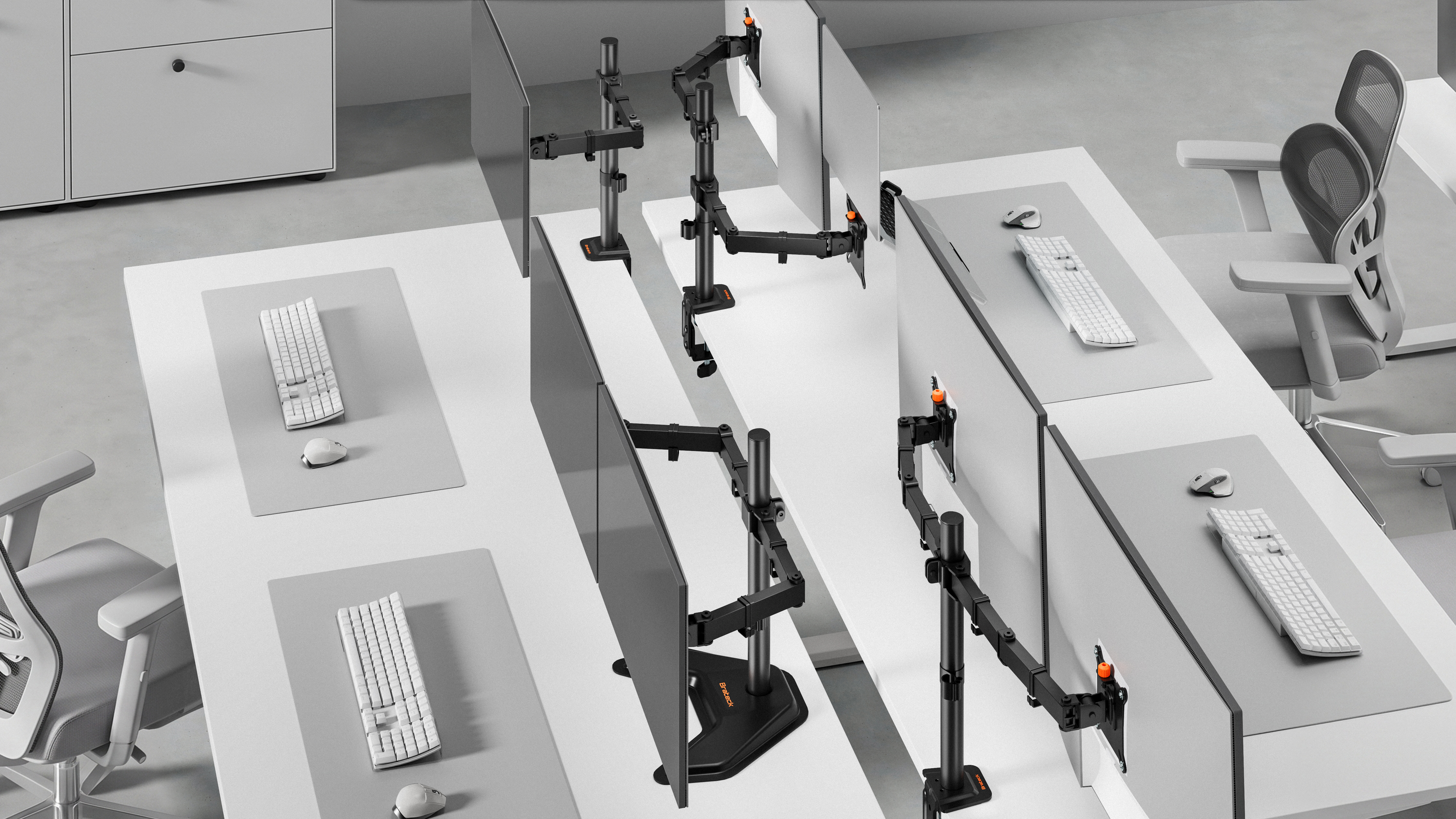
A future-ready monitor arm should be flexible enough to support different users, displays and workspace layouts without adding unnecessary complexity.
1. Flexible Compatibility
The product should support the monitor types commonly used in the target market. Before selecting a model, confirm:
• VESA compatibility
• Supported screen sizes
• Weight capacity
• Single and dual monitor configurations
• Compatibility with standard, curved and ultrawide displays
2. Reliable Ergonomic Adjustment
Adjustment should feel controlled and predictable. Once the user sets the screen position, the arm should remain stable.
Useful functions include:
• Height adjustment
• Tilt and swivel
• Screen rotation
• Tension control
3. Installation Flexibility
Different desks require different mounting methods.
|
|
|
|
|
|
|
|
|
|
|
|
|
|
|
Before installation, check desk thickness, material, edge shape, under-desk clearance and cable tray position.
4. Integrated Cable Management
A monitor arm that combines stable mounting, ergonomic positioning and practical cable routing can therefore contribute to the overall quality of the workstation rather than functioning as a standalone support.
Conclusion: Monitor Arms Are Now Part of the Modern Office
Monitor arms are becoming a standard part of modern workstation planning rather than an afterthought. The trends shaping offices in 2026—hybrid work, ergonomic expectations, multi-monitor workflows, cleaner desk layouts and sit-stand working—are all increasing the value of flexible display positioning. A well-designed monitor arm can help users make better use of limited space, adapt the screen to different working positions and create a more organized, comfortable setup. Explore Brateck monitor mounts to choose a solution that fits your screen, desk and workflow.