How to Choose the Right Monitor Arm for Different Workspaces


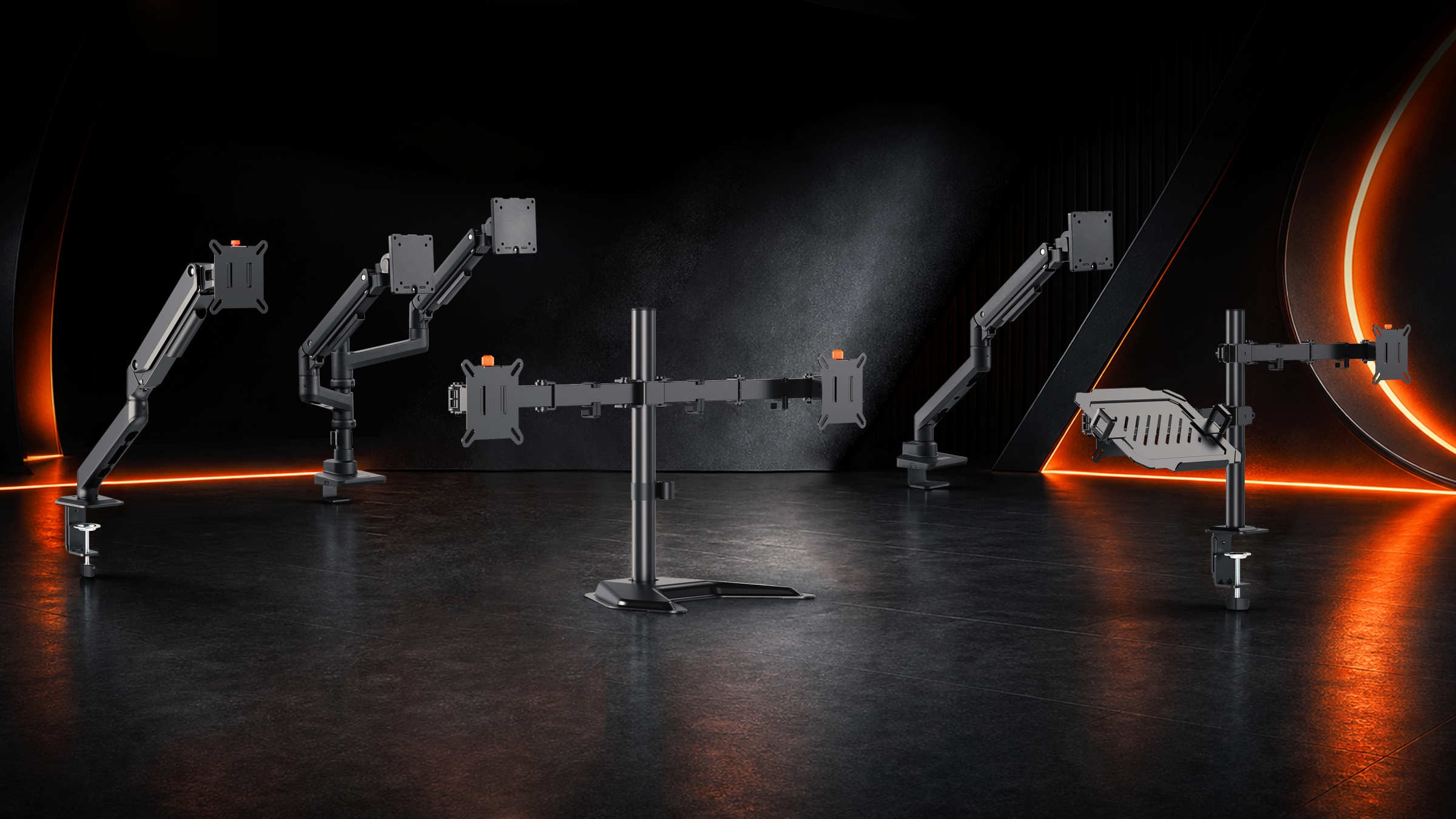
Table of Contents
• Why Choosing the Right Monitor Arm Matters More Than You Think
• Monitor Arms for Home Office Workspaces
• Monitor Arms for Professional Office Workstations
• Monitor Arms for Gaming Setups
• Monitor Arms for Creators and Designers
• Gas Spring Monitor Arm vs. Mechanical Spring Monitor Arm: What's the Difference?
• Which Installation Method Should You Choose?
• Single Monitor Arm vs. Dual Monitor Arm: Which One Fits Your Workflow?
• What Features Should You Look for When Choosing a Monitor Arm?
• Final Guide: How to Choose the Right Monitor Arm Based on Your Workspace Needs
• Conclusion
Whether you work from home, manage a shared office desk, build a gaming setup, or spend long hours on creative projects, monitor position affects daily comfort. This guide explains how to choose a monitor arm based on your desk, screen size, adjustment needs, and workflow.
Why Choosing the Right Monitor Arm Matters More Than You Think
A monitor arm is not just a way to lift your screen. It can free up desk space, improve screen positioning, reduce cable clutter, and make the whole desk easier to use.
It also supports better ergonomics. OSHA's computer workstation guidance recommends placing the monitor directly in front of the user, at least 20 inches away, with the top of the screen at or slightly below eye level. A fixed factory stand does not always make that easy, especially with a laptop, sit-stand desk, ultrawide display, or multi-monitor setup.
| Need | How a Monitor Arm Helps |
| Ergonomics | Adjusts height, tilt, swivel, and rotation |
| Desk space-saving | Removes the bulky original monitor base |
| Cable management | Routes power and display cables along the arm |
| Flexible workflows | Supports portrait mode, collaboration, gaming, or dual-screen work |
| Cleaner setup | Makes the desktop easier to organize and maintain |
The best monitor arm is the one that fits how you actually use your workspace.
Monitor Arms for Home Office Workspaces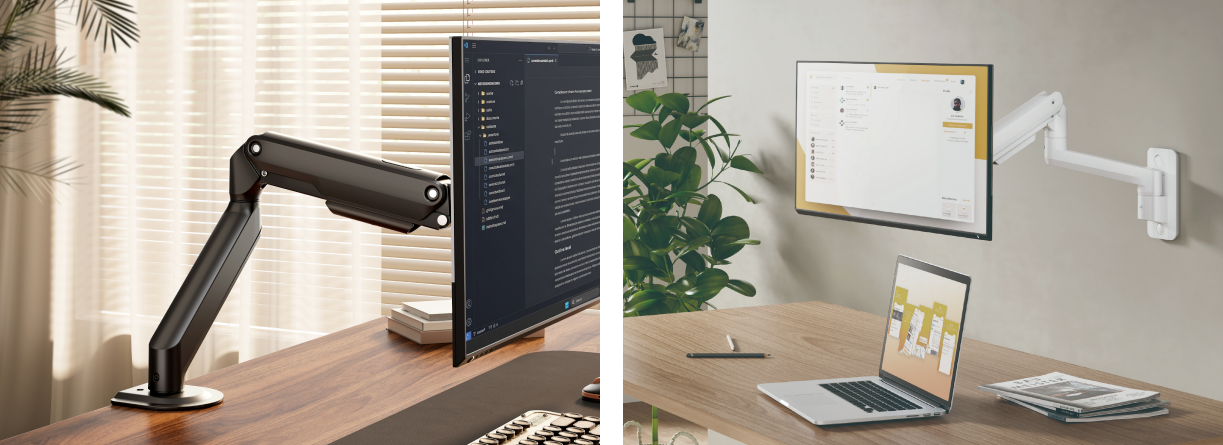
Home offices often have limited desk space. A single desk may need to hold a laptop, monitor, keyboard, mouse, notebook, headset, and personal items. Even removing the monitor's original base can make the desk feel more open.
For most home office users, a single monitor arm is enough. If you adjust your screen often, a gas spring monitor arm usually feels smoother.
Consider these options:
• A single monitor arm for one external screen
• A gas spring monitor arm for frequent height adjustment
• A clamp-mounted arm if you do not want to drill into the desk
• Built-in cable management to reduce visible clutter
If you use a sit-stand desk, prioritize smooth height adjustment. As the desk moves up or down, a good adjustable monitor arm helps you reset the screen quickly instead of leaning forward or looking down.
| Check | What to Confirm |
| Desk depth | The arm should place the screen at a comfortable distance |
| Desk edge | The clamp needs enough flat surface to hold securely |
| Monitor weight | The screen must fall within the arm's supported range |
| VESA pattern | Most arms support 75x75 mm or 100x100 mm |
| Cable slack | Cables should move freely with the arm |
For more options, compare Brateck's monitor mounts.
Monitor Arms for Professional Office Workstations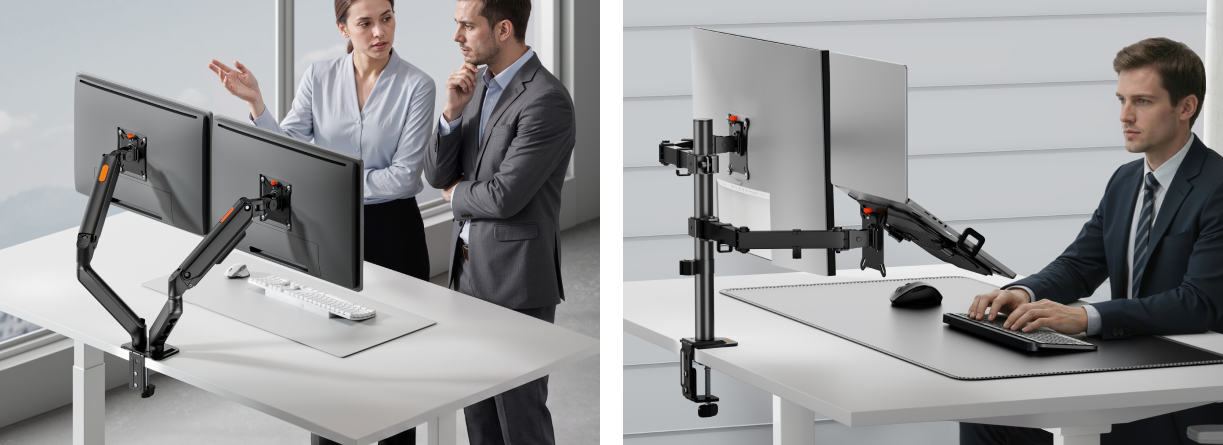
In a professional office, a monitor arm needs to be durable, easy to adjust, and suitable for long daily use.
A good office monitor arm should offer stable movement, reliable positioning, and tidy cable routing. Fixed desks may suit a mechanical spring or articulating monitor arm. Hot desks often benefit from gas spring adjustment.
| Office Setup | Recommended Choice |
| Fixed desk | Mechanical spring or articulating monitor arm |
| Hot desk | Gas spring monitor arm |
| Shared workstation | Durable arm with clear tension adjustment |
| Compact office desk | Single monitor arm with a small footprint |
| Task-heavy workstation | Dual monitor arm or multi-screen mount |
Monitor Arms for Gaming Setups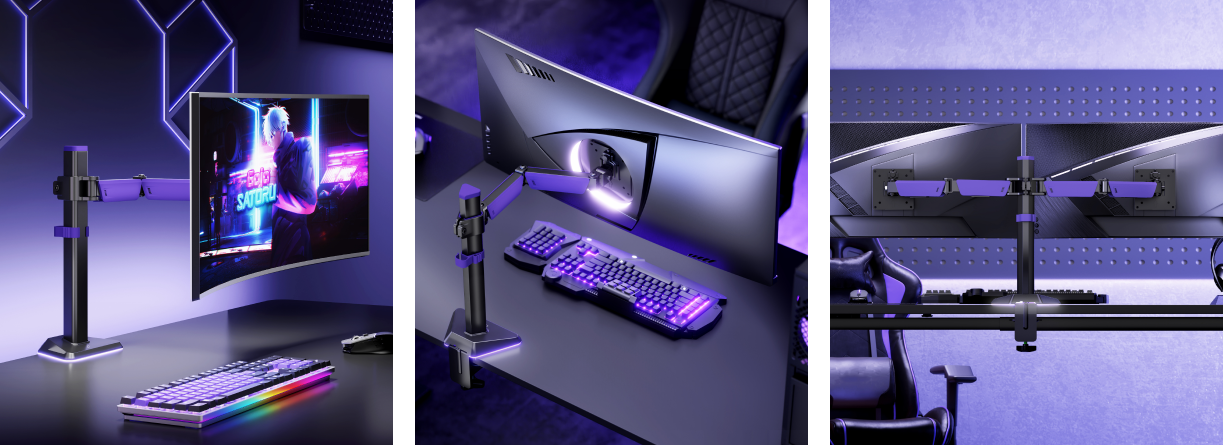
Gaming displays are often larger, heavier, curved, or paired with a second monitor for chat, streaming tools, or performance tracking.
Check the monitor's actual weight without the original stand. Screen size alone is not enough, since two monitors of the same size can weigh very different amounts.
For gaming, prioritize:
• Higher weight capacity for large or curved displays
• Strong tension control to prevent sagging
• Wide tilt and swivel range
• Desk clearance for mouse movement
• Cable management for power, HDMI, DisplayPort, USB, and lighting cables
| Gaming Setup | Recommended Arm |
| One 24-32 inch monitor | Single gas spring / mechanical spring monitor arm |
| Large curved or ultrawide monitor | Heavy-duty monitor arm |
| Streaming setup | Dual monitor arm |
| RGB-heavy desk | Arm with strong cable management |
| Sit-stand gaming desk | Gas spring arm with smooth adjustment |
Monitor Arms for Creators and Designers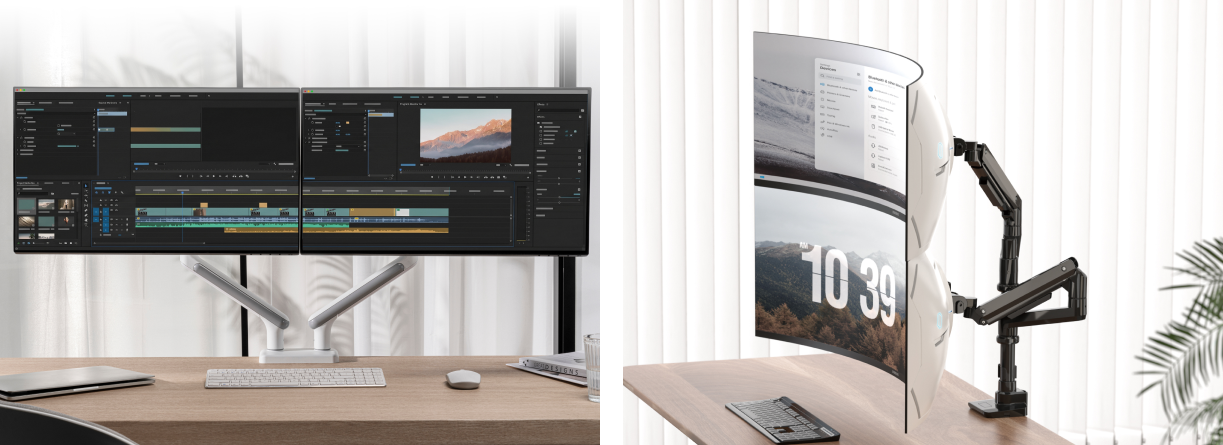
Creators often need precise monitor positioning. A photographer may use one large display, while a video editor may need one screen for the timeline and another for preview.
For creative work, look for:
• Smooth small adjustments
• Portrait and landscape rotation
• Strong support for larger displays
• Stable positioning with minimal drift
• Clean cable routing for docks and accessories
A gas spring or mechanical spring monitor arm works well if you move the screen between editing, reviewing, and presenting. A dual monitor arm helps when one screen is the workspace and the other holds references or previews.
| Creative Workflow | Suggested Setup |
| Graphic design | Single adjustable monitor arm with rotation |
| Video editing | Dual monitor arm for timeline and preview |
| Photography | Heavy-duty arm for a large display |
| CAD or 3D work | Articulating monitor arm with wide reach |
| Content creation | Dual display setup with cable management |
Gas Spring Monitor Arm vs. Mechanical Spring Monitor Arm: What's the Difference?
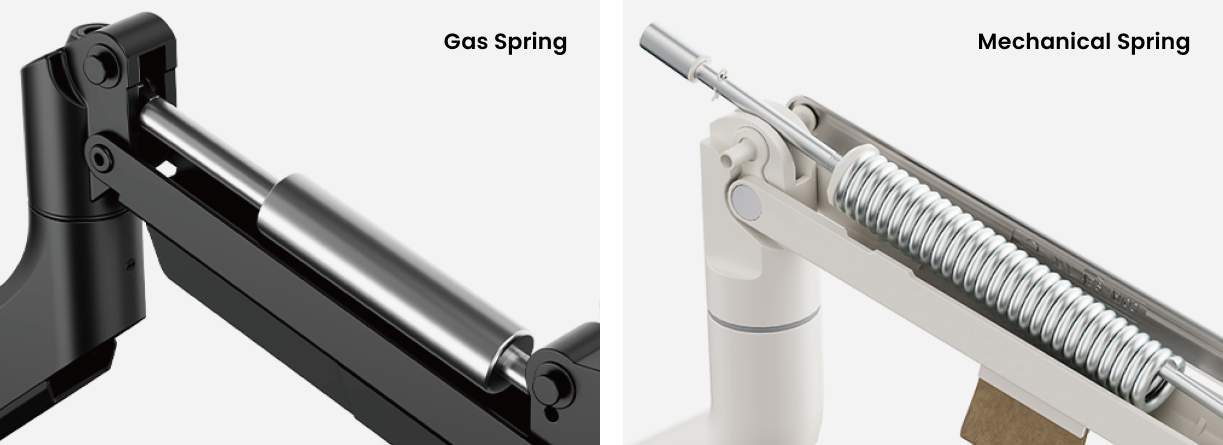
Gas spring and mechanical spring monitor arms both help balance the monitor's weight. The difference is how the adjustment feels.
| Type | Best For | Main Advantage | Consideration |
| Gas spring monitor arm | Frequent adjustment, sit-stand desks, shared desks | Smooth, light movement | Needs a correct tension setup |
| Mechanical spring monitor arm | Stable office setups, moderate adjustment | Reliable positioning | Movement may feel less fluid |
| Fixed or post-style arm | Static workstations | Simple and strong | Less flexible |
A gas spring monitor arm uses a gas-assisted mechanism to make lifting and lowering the screen easier.
A mechanical spring monitor arm uses a spring mechanism to counterbalance the display. It suits users who do not need to move the monitor constantly.
Choose gas spring monitor arms for sit-stand desks, shared workstations, or smoother one-hand adjustment. Choose mechanical spring monitor arms for mostly fixed positions and stable office setups.
Which Installation Method Should You Choose?
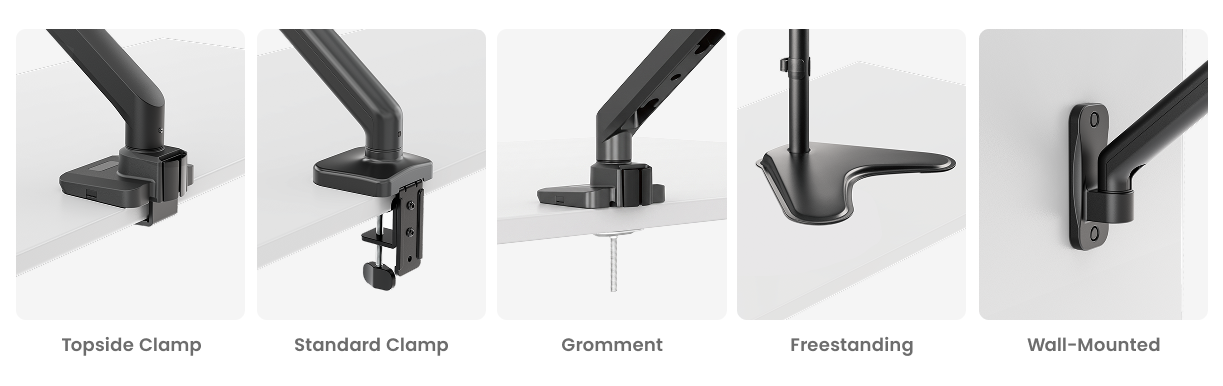
Monitor arms can be installed in several ways, and the best option depends on your desk type, available space, and how permanent you want the setup to be.
| Installation Type | How It Works | Best For |
| Clamp mount | Attaches to the back edge of the desk without drilling | Renters, flexible setups, easy relocation |
| Grommet mount | Secures through a hole in the desktop | Permanent desks, cleaner installation, heavier setups |
| Freestanding mount | Stands directly on the desktop with a weighted base | Desks that cannot be clamped or drilled, simple setup |
| Wall-mounted | Fixes the monitor arm directly to the wall | Saving desk space, fixed workstations, clean minimalist setups |
A clamp mount is often the easiest choice because it does not require drilling and can usually be moved to another desk later.
A grommet mount is better for a cleaner and more stable installation, especially when the desk already has a cable hole or when the rear edge cannot support a clamp securely.
A freestanding mount is ideal when you want a quick setup without modifying the desk, though it may take up more desktop space than other options.
A wall-mounted arm is a good solution when desk space is limited or when you want a more permanent workstation layout.
Before installing, check desk thickness, material, edge shape, under-desk clearance, wall strength, cable tray position, and rear panels. Avoid weak glass, very thin particleboard, unstable surfaces, or unsupported walls unless the product specifically allows them.
Single Monitor Arm vs. Dual Monitor Arm: Which One Fits Your Workflow?
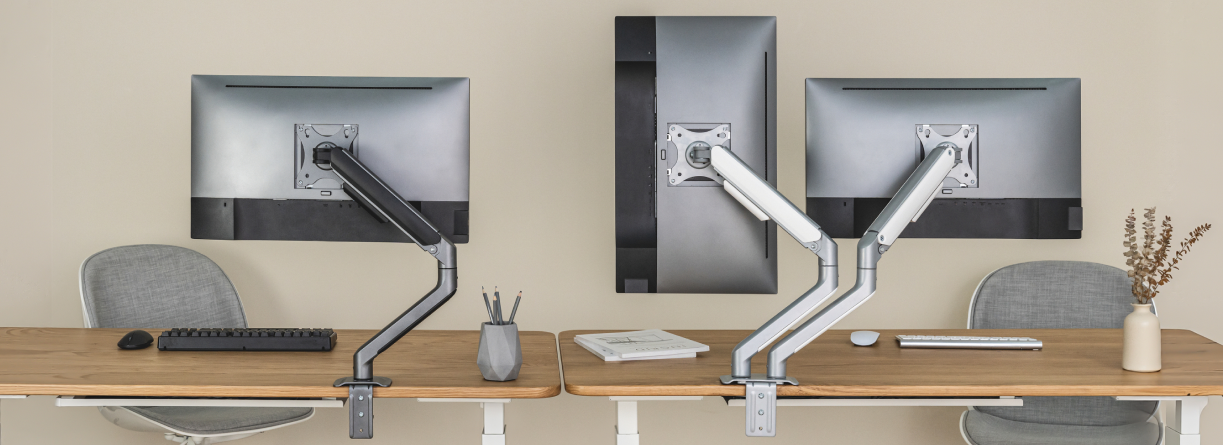
A single monitor arm is usually best for focused work. A dual monitor arm is better when your tasks depend on comparison, reference material, or multitasking.
| Setup | Choose It If | Best For |
| Single monitor arm | You mainly work on one screen | Home office, writing, coding, focused tasks |
| Dual monitor arm | You use two screens throughout the day | Finance, design, support, streaming, analysis |
| Heavy-duty single arm | You use a large or ultrawide display | Gaming, editing, professional displays |
A single monitor arm keeps the setup simple and is often enough for everyday work.
A dual monitor arm frees desk space and keeps both screens aligned, but it requires more planning. Check the supported weight per arm, maximum screen size, and extension range before buying.
Choose dual monitors if you often compare documents, use dashboards, edit media, or stream with secondary tools. Choose one larger monitor if you prefer fewer bezels, simpler cable management, and a cleaner visual field.
What Features Should You Look for When Choosing a Monitor Arm?
The right monitor arm should match your monitor, desk, and daily habits.
| Feature | Why It Matters |
| Weight capacity | Helps prevent sagging, drifting, or unsafe use |
| VESA compatibility | Confirms the monitor can attach to the arm |
| Height adjustment | Helps align the screen with eye level |
| Tilt and swivel | Reduces glare and improves viewing angle |
| Rotation | Supports portrait mode |
| Extension range | Controls how close or far the screen can sit |
| Cable management | Keeps the setup cleaner |
| Tension adjustment | Helps the arm balance the monitor properly |
| Mounting options | Let's you choose clamp, grommet, freestanding, or wall-mounted installation |
| Build quality | Improves stability and long-term reliability |
Simple rule: adjust daily, prioritize movement quality. Rarely move it, prioritize stability. Large display, prioritize strength. Small desk, prioritize desk space saving and cable management.
For more buying criteria, see Brateck's guide on 10 Things to Consider When Choosing a Monitor Mount.
Final Guide: How to Choose the Right Monitor Arm Based on Your Workspace Needs
Start with your workspace, then narrow the choice by screen size, desk type, installation method, and adjustment habits.
| Workspace Need | Recommended Choice |
| Small home office | Single gas spring monitor arm |
| Corporate workstation | Mechanical spring or articulating monitor arm |
| Sit-stand desk | Gas spring monitor arm |
| Gaming desk | Heavy-duty monitor arm |
| Dual-screen productivity | Dual monitor arm |
| Creative studio | Adjustable monitor arm with rotation and smooth height adjustment |
| Shared desk | Easy-adjust gas spring arm |
| Permanent workstation | Grommet or wall-mounted monitor arm |
| Rental or flexible space | Clamp or freestanding monitor arm |
| Desk with limited rear edge support | Grommet, freestanding, or wall-mounted monitor arm |
| Desk with very limited surface space | Wall-mounted monitor arm |
Before you buy, ask five questions:
1. How many monitors do you use now, and will that change soon?
2. What is the weight and size of each monitor without its original stand?
3. Does your monitor support VESA mounting?
4. Is your desk suitable for clamp, grommet, freestanding, or wall-mounted installation?
5. Do you need frequent adjustment or mostly stable positioning?
If your workspace changes often, choose clamp or freestanding installation for flexibility. If you want a cleaner permanent setup, choose grommet or wall-mounted installation. If your monitor is large, choose a stronger arm and confirm the mount can support both the screen weight and installation surface. If your desk feels crowded, choose a space-saving arm with cable management.
Conclusion
Choosing the right monitor arm starts with understanding how you work. A compact home office may only need a single monitor arm, while gaming, creative, and multi-screen setups often need stronger support and smoother adjustment.
Once you are clear about your monitor, desk, and adjustment habits, the decision becomes much easier. Ready to build a cleaner and more adjustable workspace? Browse Brateck's full range of monitor mounts, including gas spring monitor arms, mechanical spring monitor arms, articulating monitor arms, single monitor arms, and dual monitor solutions for different desk setups.